AI media pipeline
Wire agents into your media library: search by meaning, pull references, generate variations, and file the results back — automatically. Two paths: call the API directly, or point any MCP client at the hosted server.
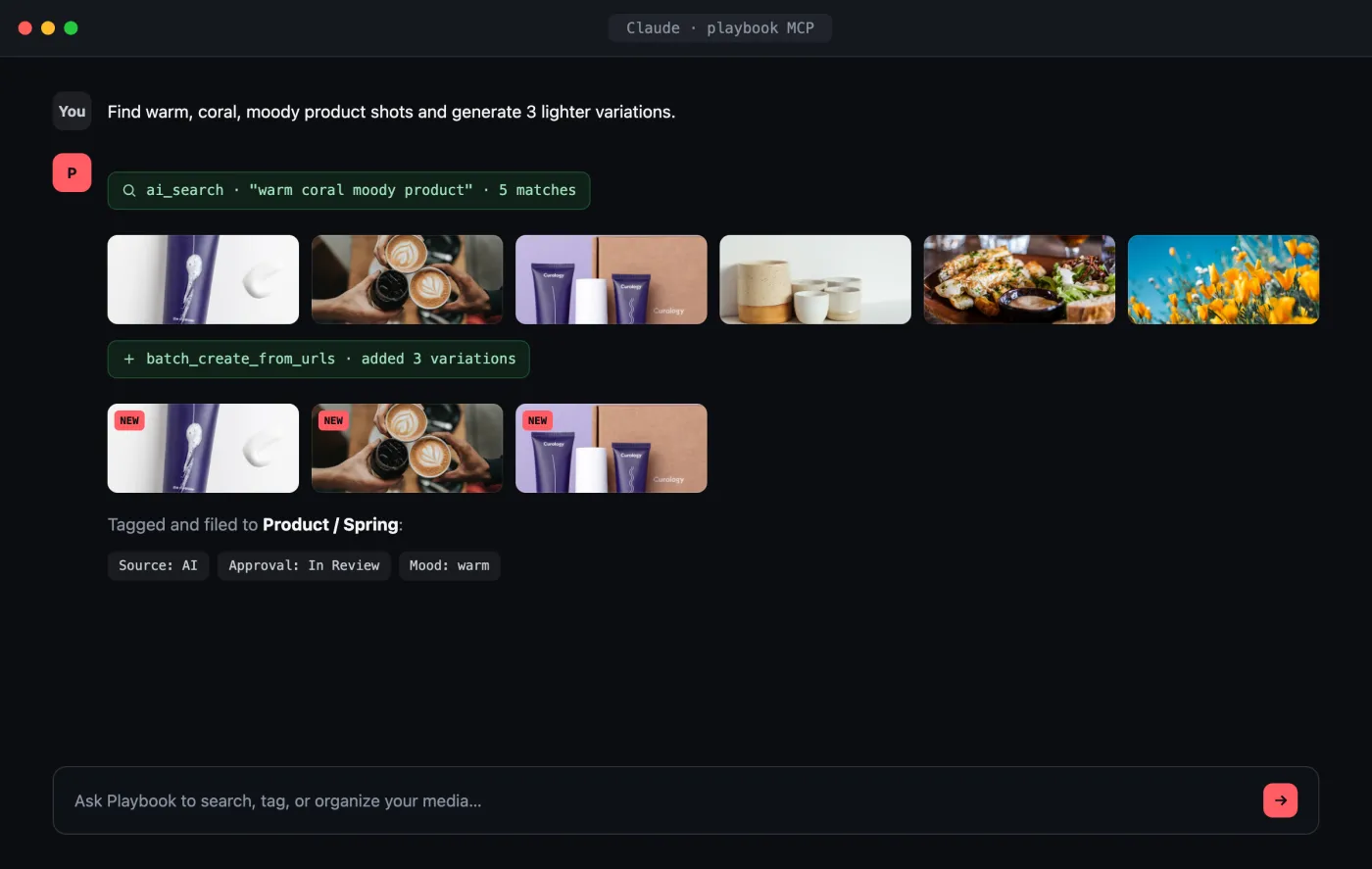
Open the interactive preview → · a self-contained index.html you can click through in your browser (open photos, favorite shots, switch tabs) or download.
The flow
- Agent searches semantically for references (AI search).
- Agent ingests generated variations in bulk.
- Agent auto-tags them with custom fields.
- Or skip the glue code entirely and use the MCP server.
1. Semantic search for references
AI search returns meaning-ranked results with a cursor for paging deeper:
const ORG = "your-org";
const TOKEN = process.env.PLAYBOOK_TOKEN!;

type SearchPage = { parentId: string; afterCursor: string };

async function aiSearch(query: string, page?: SearchPage) {
  const params = new URLSearchParams({ query });
  if (page) {
    params.set("parent_id", page.parentId);
    params.set("after_cursor", page.afterCursor);
  }
  const res = await fetch(
    `https://api.playbook.com/v1/${ORG}/ai_search?${params}`,
    { headers: { Authorization: `Bearer ${TOKEN}` } },
  );
  return res.json(); // { data: [...assets], pagy: { parent_id, after_cursor, has_next_page } }
}

const refs = await aiSearch("brand palette: warm coral, moody lighting");

if (refs.pagy.has_next_page) {
  const moreRefs = await aiSearch("brand palette: warm coral, moody lighting", {
    parentId: refs.pagy.parent_id,
    afterCursor: refs.pagy.after_cursor,
  });
}
2. Ingest generated variations
Your model produces new images (hosted somewhere reachable). Add them in one call — Playbook fetches and processes each in the background:
async function ingestVariations(boardToken: string, urls: string[]) {
  const res = await fetch(
    `https://api.playbook.com/v1/${ORG}/assets/batch_create_from_urls`,
    {
      method: "POST",
      headers: {
        Authorization: `Bearer ${TOKEN}`,
        "Content-Type": "application/json",
      },
      body: JSON.stringify({
        batch: {
          collection_token: boardToken,
          assets: urls.map((uri, i) => ({
            uuid: `gen-${i}`,
            uri,
            title: `Variation ${i + 1}`,
          })),
        },
      }),
    },
  );
  return (await res.json()).data; // [{ uuid, asset }] — each starts as a skeleton
}
3. Auto-tag the results
Have the agent file each variation against your taxonomy:
async function tag(assetToken: string, fields: Record<string, string>) {
  await fetch(`https://api.playbook.com/v1/${ORG}/assets/${assetToken}/update`, {
    method: "PATCH",
    headers: {
      Authorization: `Bearer ${TOKEN}`,
      "Content-Type": "application/json",
    },
    body: JSON.stringify({ asset: { fields } }),
  });
}

await tag("variation-1", { "Approval Status": "In Review", Source: "AI" });
4. Or skip the code — use MCP
If your agent runs in Claude, Codex, Cursor, or ChatGPT, you don't need any of the above. Point it at the hosted MCP server and it can search, tag, upload, and organize your media in natural language — sign in with Playbook in the browser, no token needed:
claude mcp add --transport http playbook https://mcp.playbook.com/mcp
See the MCP guide for the Claude Code plugin, Codex, Cursor, and ChatGPT setup and the full tool list.