Client gallery
Send clients a gallery of selects, collect their feedback inline, and deliver final high-res files the moment they approve — all through the API.
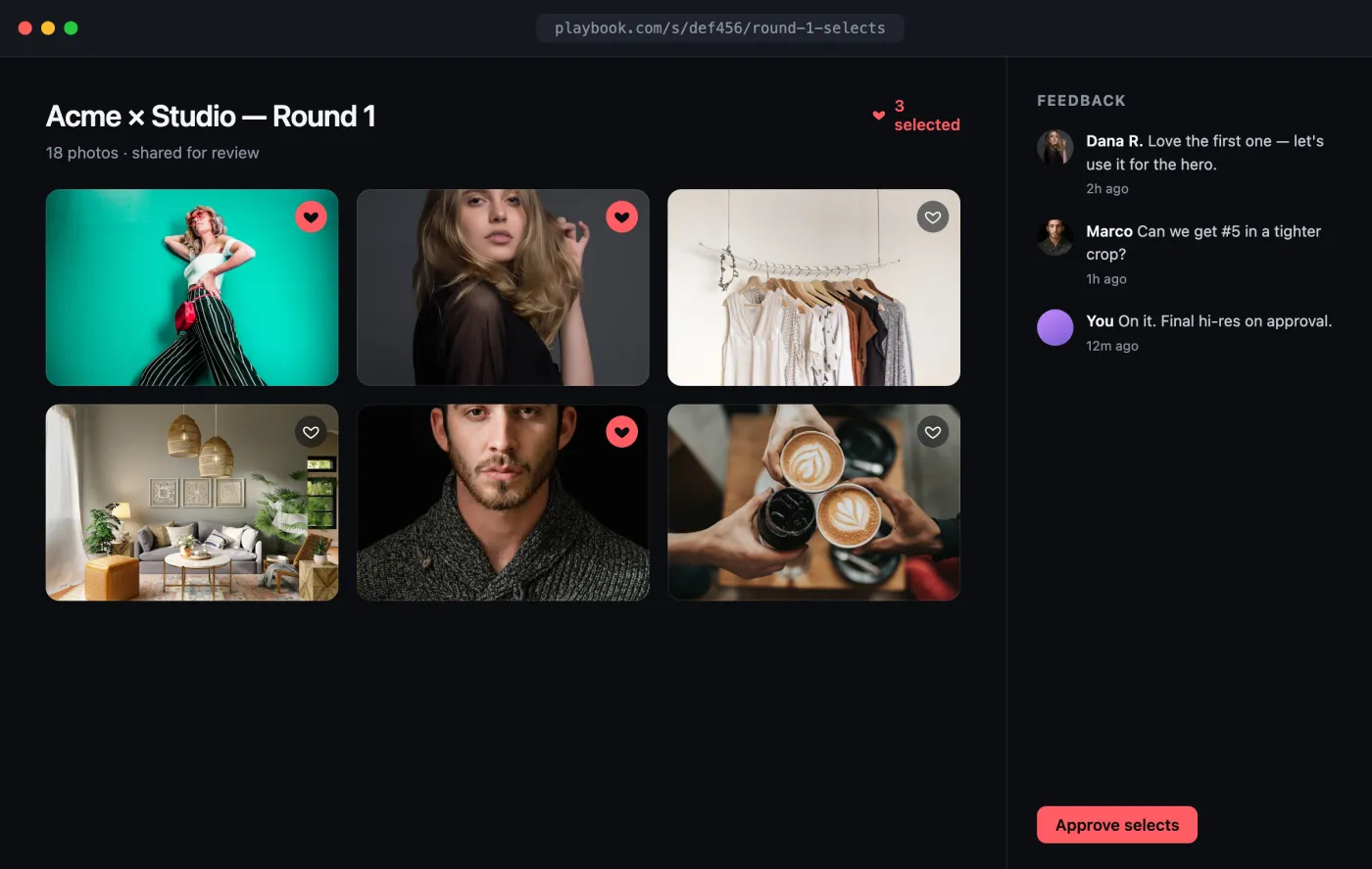
Open the interactive preview → · a self-contained index.html you can click through in your browser (open photos, favorite shots, switch tabs) or download.
The flow
- Build a board of selects and add the assets.
- Share the board to get a client-facing link.
- Collect feedback with comments.
- Deliver approved originals via the shared download endpoint.
1. Create the selects board
curl -X POST "https://api.playbook.com/v1/$ORG/boards" \
  -H "Authorization: Bearer $PLAYBOOK_TOKEN" \
  -H "Content-Type: application/json" \
  -d '{ "title": "Acme x Studio — Round 1 selects" }'
Add the selects with batch upload,
passing the board's token.
2. Share it with the client
curl -X POST "https://api.playbook.com/v1/$ORG/boards/round-1-selects/share" \
  -H "Authorization: Bearer $PLAYBOOK_TOKEN"
{ "data": { "url": "https://playbook.com/s/def456/round-1-selects" } }
Send that URL to the client. Shared board links carry every asset, its metadata, and (optionally) comments and downloads. See Sharing & Publishing.
3. Collect feedback
Clients leave feedback on the shared board in Playbook; read it back per asset to power a review thread in your own UI:
const ORG = "your-org";
const TOKEN = process.env.PLAYBOOK_TOKEN!;

async function getComments(assetToken: string) {
  const res = await fetch(
    `https://api.playbook.com/v1/${ORG}/assets/${assetToken}/comments`,
    { headers: { Authorization: `Bearer ${TOKEN}` } },
  );
  const { data } = await res.json(); // threaded: each comment may have `replies`
  return data;
}
Comments are threaded (replies nest under replies), which maps cleanly onto a
proofing conversation. See Comments.
4. Deliver on approval
Once a client signs off, hand them the original file. Use the shared-download endpoint with the board's share slug:
async function downloadUrl(assetToken: string, shareSlug: string) {
  const res = await fetch(
    `https://api.playbook.com/v1/shared/${ORG}/assets/${assetToken}/download?sharedlinkslug=${shareSlug}`,
    { headers: { Authorization: `Bearer ${TOKEN}` } },
  );
  const { data } = await res.json();
  return data.raw_url; // full-resolution original; data.display_url for preview
}
Gate the call behind your own "approved" state so originals only go out once the client accepts.