Portfolio
Give every user a polished, always-current portfolio. You curate a board, add their work, and either publish it as a hosted public gallery or fetch the assets and render your own UI. Update the board and the portfolio updates itself — no redeploy.
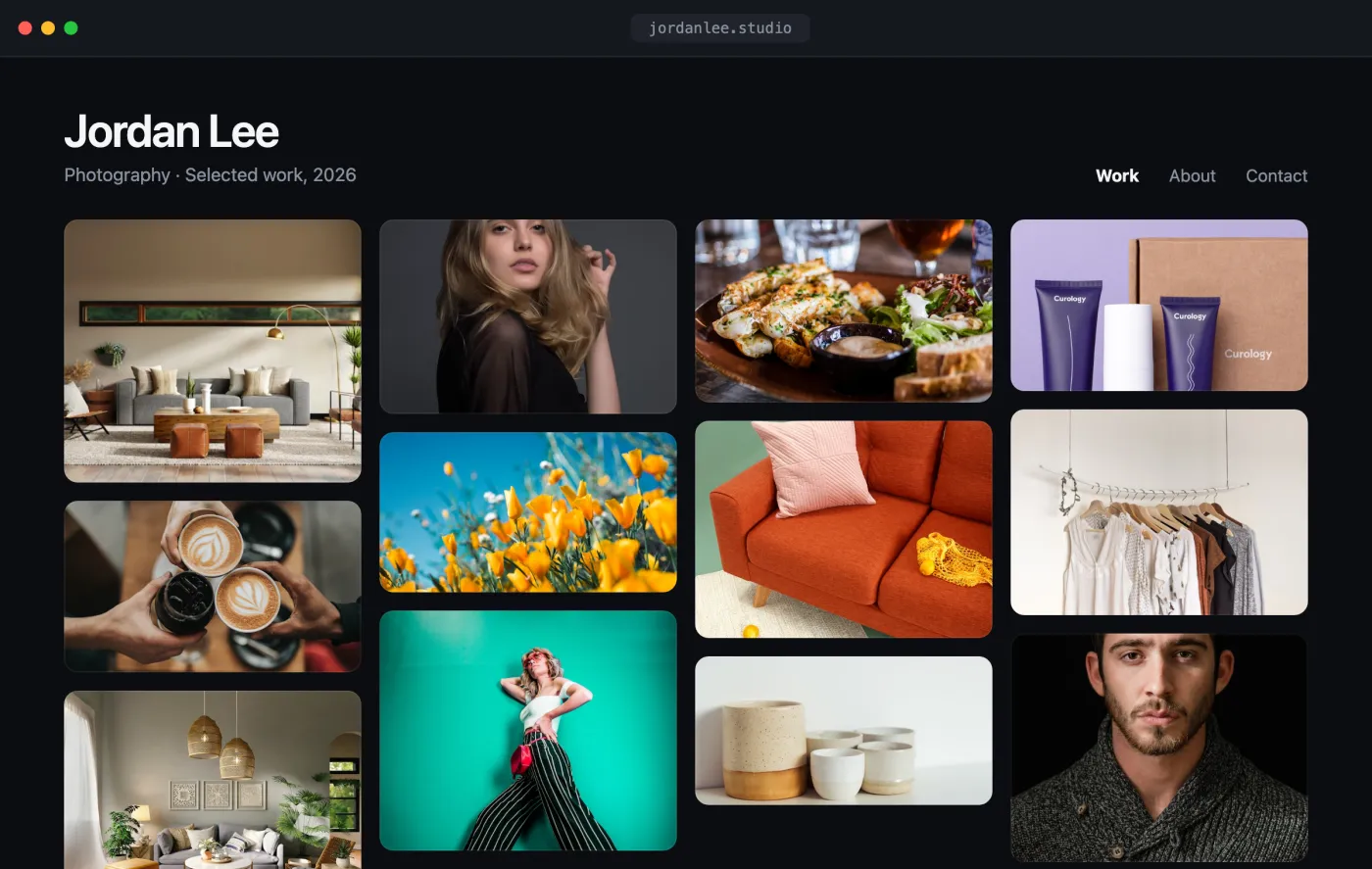
Open the interactive preview → · a self-contained index.html you can click through in your browser (open photos, favorite shots, switch tabs) or download.
The flow
- Create a board — the portfolio container.
- Add work to it (from URLs, or a direct upload).
- Publish the board for a hosted public gallery + embeddable iframe, or fetch the board's assets and render your own gallery.
1. Create the portfolio board
curl -X POST "https://api.playbook.com/v1/$ORG/boards" \
  -H "Authorization: Bearer $PLAYBOOK_TOKEN" \
  -H "Content-Type: application/json" \
  -d '{ "title": "Jordan Lee — Photography", "description": "Selected work, 2026" }'
The response includes the new board's token (e.g. jordan-lee-photography).
See Creating Boards.
2. Add work to the board
Point Playbook at the image URLs — it fetches, processes, and generates delivery-ready renditions for you:
curl -X POST "https://api.playbook.com/v1/$ORG/assets/batch_create_from_urls" \
  -H "Authorization: Bearer $PLAYBOOK_TOKEN" \
  -H "Content-Type: application/json" \
  -d '{
    "batch": {
      "collection_token": "jordan-lee-photography",
      "assets": [
        { "uuid": "1", "uri": "https://example.com/shoot/01.jpg", "title": "Coastline" },
        { "uuid": "2", "uri": "https://example.com/shoot/02.jpg", "title": "Studio portrait" }
      ]
    }
  }'
Uploads are asynchronous — each asset comes back as a skeleton and finishes processing in the background. See Uploading Assets for the signed-upload flow (for local files) and how to poll for completion.
3a. Publish it (hosted gallery)
The fastest path: publish the board and hand back a public URL.
curl -X POST "https://api.playbook.com/v1/$ORG/boards/jordan-lee-photography/publish" \
  -H "Authorization: Bearer $PLAYBOOK_TOKEN"
{ "data": { "url": "https://playbook.com/p/your-org/jordan-lee-photography" } }
Embed it anywhere:
<iframe
  src="https://playbook.com/p/your-org/jordan-lee-photography"
  style="width:100%;height:800px;border:0"
  title="Portfolio"
></iframe>
See Sharing & Publishing for the difference between shared and published links.
3b. Or render your own gallery
Prefer full control over the markup? Fetch the board's assets and lay them out
yourself. Each asset carries a CDN display_url.
const ORG = "your-org";
const BOARD = "jordan-lee-photography";
const TOKEN = process.env.PLAYBOOK_TOKEN;

type Asset = { token: string; title: string; display_url: string };

async function getPortfolio(): Promise<Asset[]> {
  const res = await fetch(
    `https://api.playbook.com/v1/${ORG}/boards/${BOARD}/assets?per_page=50`,
    { headers: { Authorization: `Bearer ${TOKEN}` } },
  );
  const { data } = await res.json();
  return data;
}

export default async function Portfolio() {
  const assets = await getPortfolio();
  return (
    <div style={{ columns: 3, columnGap: 12 }}>
      {assets.map((a) => (
        <img
          key={a.token}
          src={a.display_url}
          alt={a.title}
          loading="lazy"
          style={{ width: "100%", marginBottom: 12, borderRadius: 8 }}
        />
      ))}
    </div>
  );
}
To keep the portfolio fresh, just add or reorder assets on the board — both the published gallery and your custom render reflect it on the next load.